 Portion Monitor
Portion Monitor
Portion Monitor
Portion Monitor is a portion control diet tracker for Android. Log the portions in every meal, plus water, caffeine, steps and exercise, and see how the day is going. No calorie counting, no account, and everything stays on your phone.
Get it on Google Play See what it does Free. Works offline. Android 10 and later.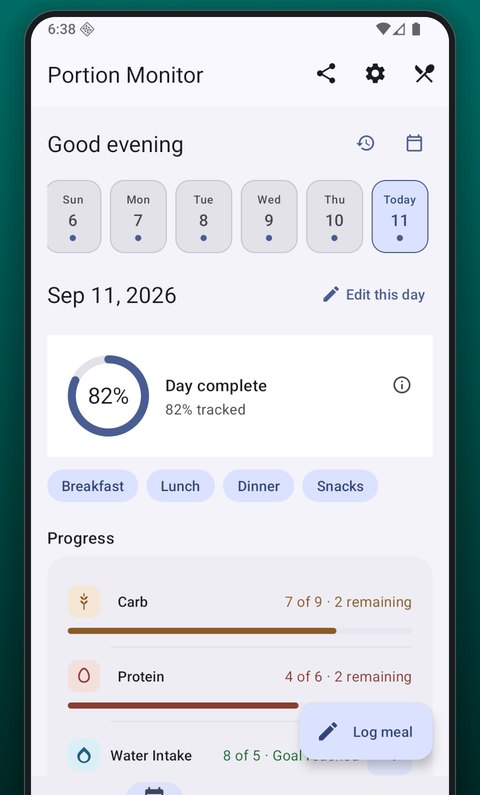
What it does
Count portions from each food group at every meal, keep water and activity on the same page, and let the goals tell you where you stand.
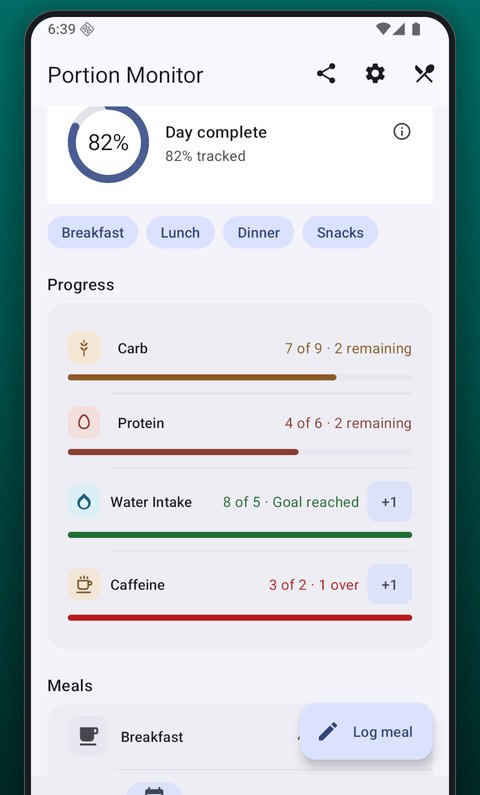
Give anything you track a daily target or an upper limit. Each bar changes colour as you get close, and again if you pass it, and says so in words too, so a screenshot and a screen reader both work.
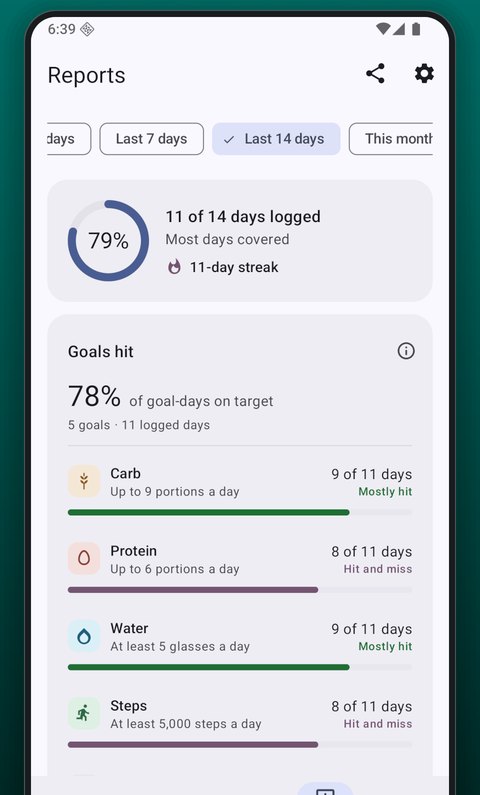
Reports over any period from a day to six months: your logging streak, days logged, how often each goal was hit, where your portions come from, and water, weight and waist over time.
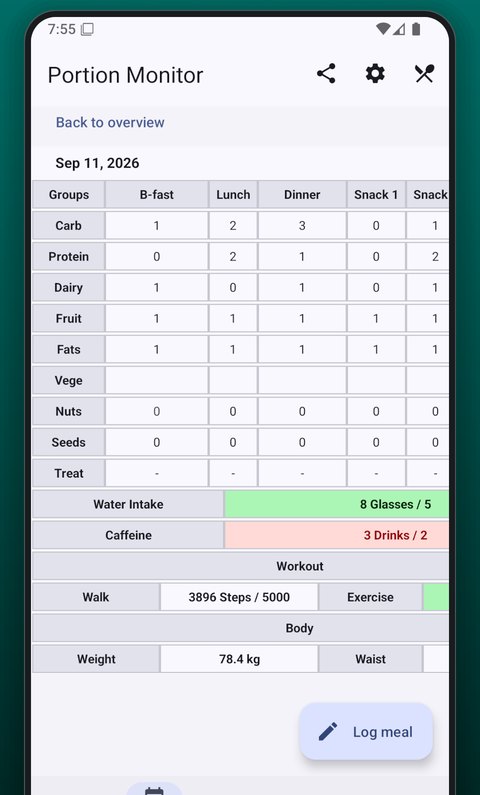
The detailed table shows the whole day at once: breakfast, lunch, dinner and up to three snacks across nine food groups, with totals against your goals, water, caffeine, activity and body readings underneath.
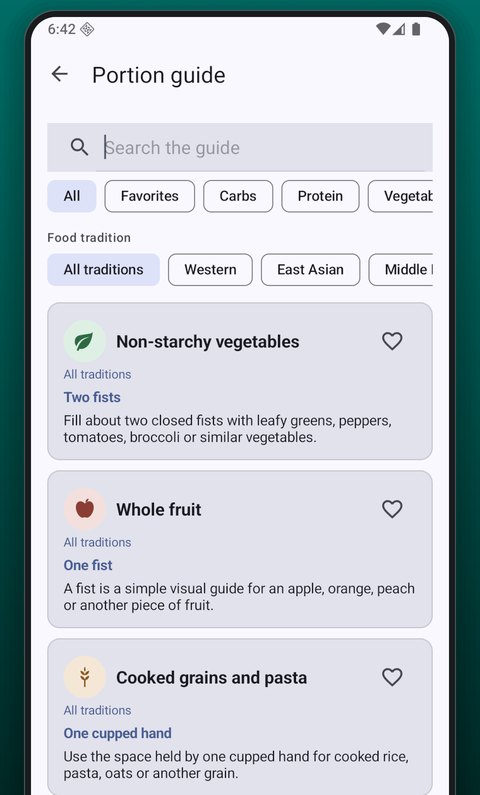
An offline portion guide measured with your hand: two fists of vegetables, a fist of rice, a palm of chicken, a thumb of cheese. Grouped by food group and by cuisine, and searchable.
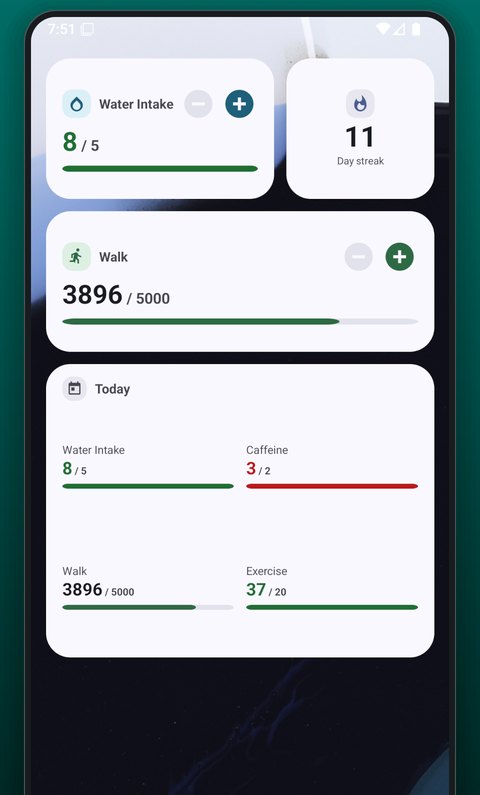
Home screen widgets for water, steps, exercise and caffeine, each with plus and minus buttons. A Today widget shows all four against their goals, and a streak widget shows your run of logged days.
Your data, yours
Your diary, goals, reminders and profile live in the app's private storage. There is no login and no server of ours that receives them.
Export everything as a CSV file, share a day or a report as an image, or back up to your own Google Drive and restore on a new phone.
The app is free and shows ads. Nothing you log is used to target them, and you can manage ad privacy from inside the app. Read the privacy policy.
The method
The approach the app is built around, in three short answers.
Portion control means eating from every food group in the right amounts, rather than cutting any of them out. Instead of weighing food or counting calories, you count portions. Knowing your portion sizes tells you roughly how much you are eating without counting anything, and it flexes with your day, which is what makes it a habit rather than a diet you fall off.
Carbs: grains, rice, potatoes, bread, cereals. Protein: meat, fish, eggs, pulses, tofu. Dairy: milk, cheese, yogurt. Fruit and vegetables, the group that does the most work. Fats: butter, oils, cream. Nuts and seeds in small daily amounts, and treats, counted rather than forbidden.
A closed fist is a portion of rice, pasta or fruit. A flat palm is a portion of meat or fish. A thumb is a portion of cheese, butter or oil. Two fists of leafy greens or other non-starchy vegetables fill half the plate. The guide inside the app lists these for every food group, and adjusts the examples to your cuisine.
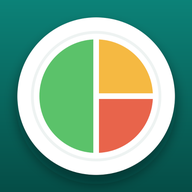
The app's icon is that plate: half vegetables, a quarter carbs, a quarter protein.
Questions
No. It counts portions from each food group: carbs, protein, dairy, fruit, vegetables, fats, nuts, seeds and treats. Knowing your portion sizes tells you roughly how much you are eating without counting anything.
No account and no login. Everything you log is stored on your phone, and the app works offline, including the portion guide. The internet is used only to show ads and, if you turn it on, to back up to your own Google Drive.
Give anything you track a daily target (at least this much, like eight glasses of water) or an upper limit (up to this much, like three caffeinated drinks). Each bar changes colour as you get close and again if you pass it, and says so in words. A starter plan of four goals is ready on the first run; change any of it in Settings.
Yes. The water, steps, exercise and caffeine widgets each have plus and minus buttons, so a glass is one tap on the home screen. The Today widget shows all four against their goals, and the streak widget shows your run of logged days.
You can set up to five, each with a name and a time. A reminder can arrive every day, or only on a day you have logged nothing, which is the one to use for a single evening check-in.
Only what you type: name, age, sex, height, and the weight and waist readings you log. Sex is used only to pick the waist and body fat bands. Reports use these to show BMI, a healthy weight range for your height, and a body fat estimate from your waist. None of it leaves the phone.
Yes. Export everything as a CSV file at any time, share a day or a report as an image, and optionally back up to your own Google Drive and restore on a new phone. We never receive your data.
English, German, Spanish, French, Italian and Brazilian Portuguese. Kilograms or pounds, centimetres or inches, and feet for height.
No. It is a diary. The portion guide, the BMI and body fat figures are general information from your own numbers, not a diagnosis or a plan. Talk to a doctor or a dietitian before changing how you eat for a medical reason. See the terms of use.
Log one meal, a glass of water or a walk. The rest follows.
Get Portion Monitor on Google Play